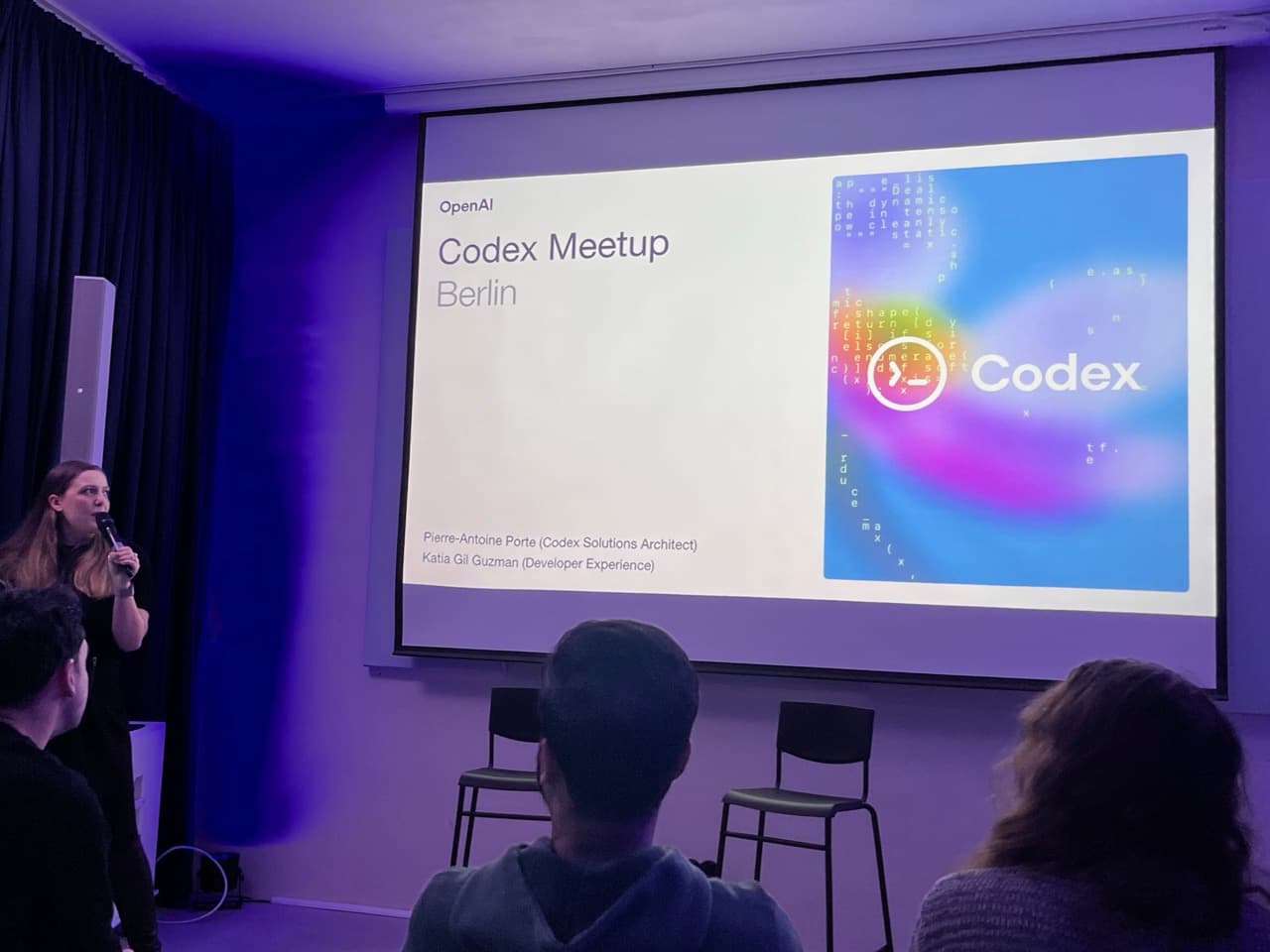
I attended an OpenAI Codex meetup yesterday. Engineers from OpenAI flew in and talked about how they use Codex internally, showed demos, and answered questions over pizza and beer.
Some things you can only learn by being there. Reading between the lines. Seeing how people talk about their work without divulging proprietary details. Getting a sense of future direction even when they can't say it explicitly. Still need a human in the loop for some things I guess.
Immediately below are my four personal observations (things I found interesting and relevant to me). I also let Codex summarize the rest of the meetup. A bit meta, I know. If you want to skip to the summary, jump to Meeting Notes.
Personal Observations
1. Dogfooding at Scale
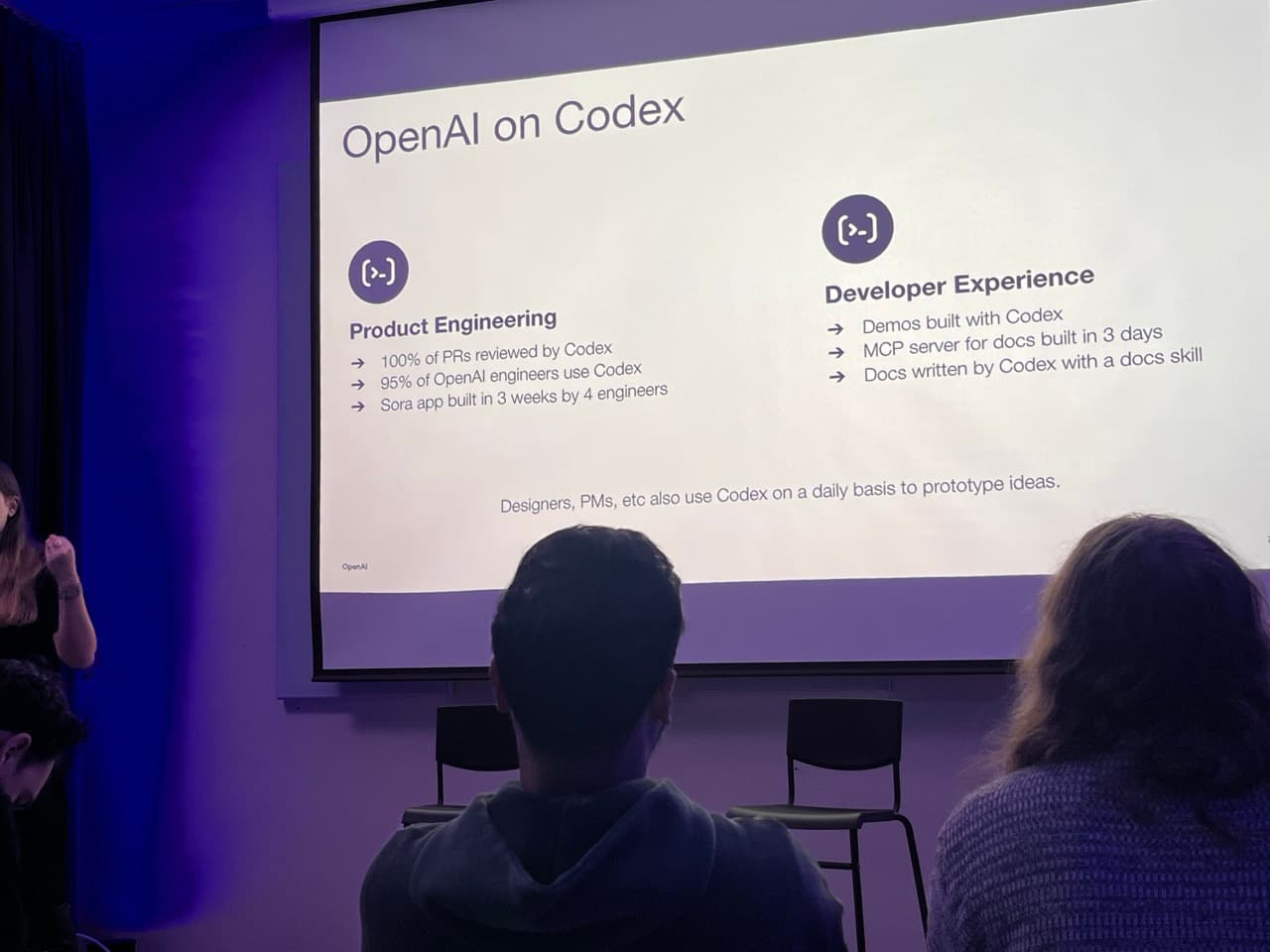
95-97% of OpenAI engineers use Codex. 100% of PRs are reviewed by Codex.
In my work experience, I could always tell when an internal team actually uses their own product. You can sorta feel it.
Also when internal leaders use the tools themselves vs when they give vague statements about how super duper their products are.
I have worked at companies and know how this trickles up into many decisions.
One reason I think Claude Code and Codex move so fast is because the people building them use the tools themselves to build the tools.
2. Tiny Team, Massive Output
During the pizza and beer session, I was talking to one of the engineers. He mentioned they have so many features to ship but only around 30 people working on Codex.
30 people.
My prediction. By end of 2026, if you plotted product revenue per team member (for internal product or external) across all tech companies, I think Codex and Claude Code would be at the very top.
I sorta knew it would be small, but still the leverage is insane. Take off happening.
3. Agentic Over Human-in-the-Loop
This was the most interesting observation for me. I do not have a specific data point, but by aggregating my observations and reading between the lines, Codex is definitely moving more toward agentic workflows than human-in-the-loop interactions. You hand a task to a system and try to delegate rather than pair program with it. I might be wrong, but this is my impression.
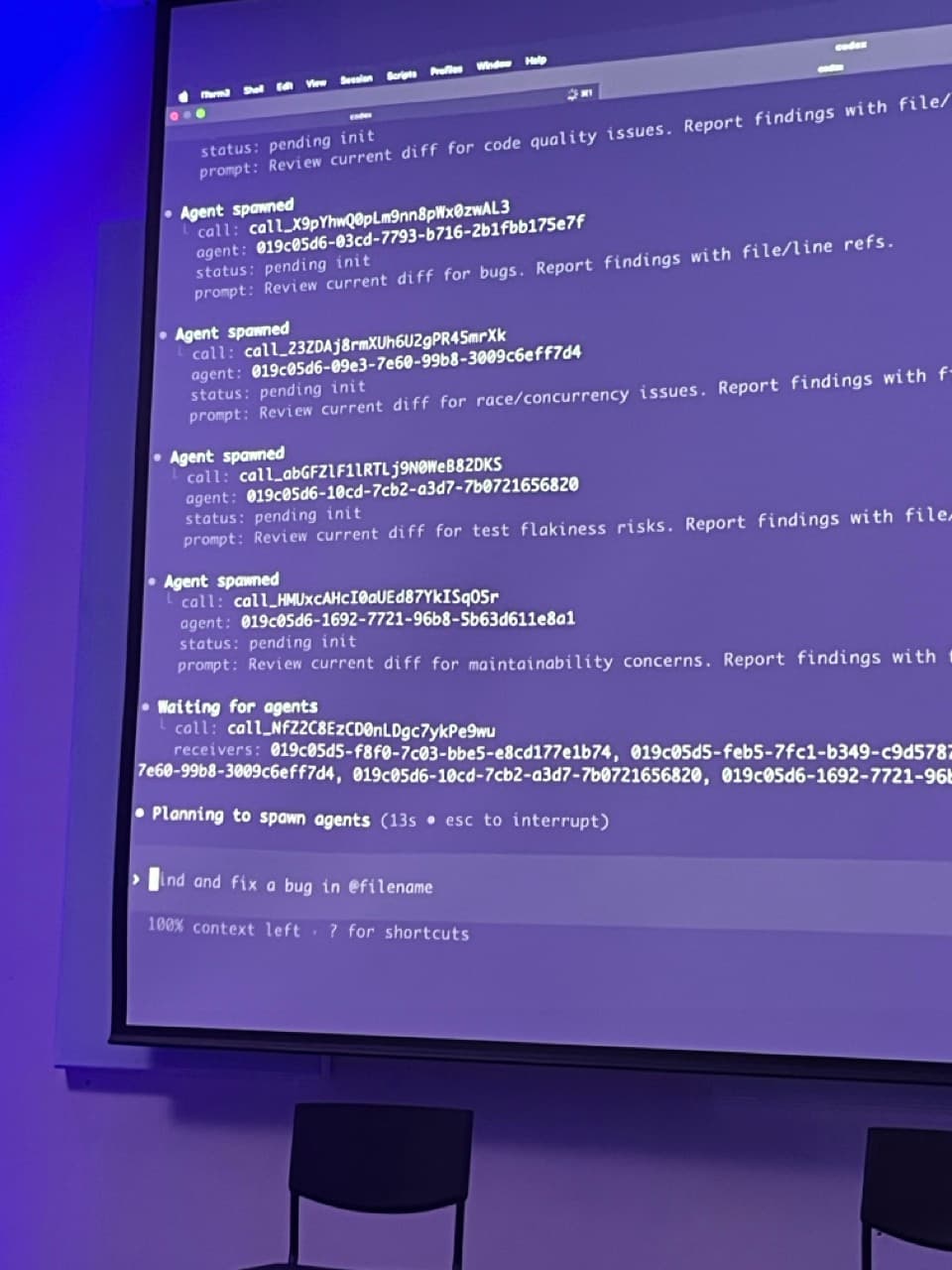
They showed a demo of multi-agent orchestration which has several benefits. The manager agent does not have to keep the context of every subtask. For example, there might be separate agents for testing and implementing. This way, the manager agent does not exhaust its context. After running for six hours, it will still have 99% of its context left because only the reports come back.
You move from being a manager to a manager of managers.
I have not personally used Claude Code, so I cannot speak from experience. But I feel this is how Codex will differentiate itself. Claude Code feels more like pair programming (from what I've seen). Codex feels more like delegation. You are the executive. They are the team.
Those are my observations. I feel confident about where Codex is going. Cool to see it firsthand.
4. Model Selection Is Still a Thing (For Now)
I asked a question about model selection because I was confused. Why do they have GPT-5.2 and GPT-5.2 Codex as separate options?
The summarized answer: anything that reads or generates code should use Codex. This means you would still use Codex for tasks like writing code for verification. Whenever you are inputting images or outputting text for a human, use regular 5.2.
For example, if you want a model to look at an image and verify it, it is better to use 5.2. There is a distinction there. They showed a demo where they used 5.2 Codex to generate images using tool calls. Then they used regular 5.2 to review the images and provide feedback. They went back and forth in a loop.
I found that interesting. I did not know this because I previously used only 5.2 Codex for everything. I will probably switch my approach.
During the same talk, they mentioned they eventually want to remove this distinction. They will offer one latest and smartest model. You will simply specify that model, and the internal routing will handle the rest. The current separation will eventually go away.
Meeting Notes (Summarized by Codex)
Those were my personal takeaways. Everything above I wrote myself.
For anyone who wants to go deeper, I recorded the audio and transcribed it. Then I asked Codex to summarize. A bit meta, I know. Here is what the rest of the meetup covered:
How OpenAI Uses Codex Internally
OpenAI uses Codex across two main areas:
Product Engineering:
- 100% of PRs reviewed by Codex
- 95-97% of engineers use Codex daily
- The Sora app was built in 3 weeks by just 4 engineers
- About 50% of Codex's own codebase is written by Codex
Developer Experience:
- Demos and internal tools built with Codex
- An MCP server for OpenAI docs was built in 3 days
- All documentation is written by Codex using a "docs skill"
They also integrate Codex into Slack. You can tag Codex in a thread and it will use the conversation context to open a PR. No need to context-switch to a terminal.
Long-Running Agentic Sessions (Paint-by-Numbers Demo)
One engineer showed an impressive demo: building a paint-by-numbers algorithm. The goal was to take any image and generate both a colored version (with limited colors) and a black-and-white version with numbered zones for painting.
The key insight was setting up an optimization loop:
- Give Codex a plan in a
.plansfile with clear instructions on what to do, what metrics to optimize, and when to stop - Use deterministic metrics (number of colors, zone sizes, small region percentage) plus LLM-as-judge for qualitative evaluation (how close is the output to the original image?)
- Let Codex iterate through many versions (they got to v19+ in the demo)
- Use the file system as memory so Codex can log each version and not lose context during compactions
Tips from this demo:
- Give Codex a way to judge the problem (unit tests, benchmarks, LLM-as-judge)
- Make sure Codex can run the tests itself (put instructions in agents.md)
- Use high-reasoning mode for long-running tasks
- Make sure approvals don't block the session
- Tell Codex explicitly when to stop and what "done" looks like
Predictable Autonomy (Avoiding "Approval Manager" Mode)
One speaker talked about a common problem: developers turn into "approval managers" because Codex asks for permission constantly. This leads to either:
- Constantly clicking approve (warning fatigue)
- Running in YOLO mode where everything is auto-approved (dangerous)
The solution is predictable autonomy: give Codex safe tools to use autonomously, but escalate only when necessary.
You can configure this with rules in Codex. For example:
- Auto-approve
git commitandgit add - Prompt for
git resetorgit push --force - Reject downloading random bash scripts from the internet
You can also use Codex to configure Codex. Just ask it: "Find a way to let me auto-approve git commits without approving everything." It will fetch the docs via MCP and generate the rules for you.
Treat Codex like a teammate. If a colleague came to you every 5 minutes asking for trivial approvals, you'd give them more autonomy in safe areas. Same logic applies.
JetBrains Integration
JetBrains is integrating Codex into their IDEs (IntelliJ, etc.). A few interesting technical notes:
- They used an adapter pattern between Codex's app server protocol and their own Agent Wire Protocol (AWP). The two protocols are similar enough that the adapter is thin.
- For testing non-deterministic AI integrations, they record JSON-RPC traffic and replay it in unit tests. This lets them test UI behavior without running the agent or spending tokens.
- Codex is free in JetBrains IDEs for now.
They also showed how skills work in the IDE: a skill is a set of markdown files plus scripts that get injected into the prompt. They built a "product analytics" skill that lets Codex analyze telemetry data and suggest retention improvements.
Multi-Agent (Coming Soon)
The most forward-looking demo was multi-agent orchestration. Instead of one agent doing everything sequentially, you have:
- An orchestrator agent that coordinates
- Multiple worker agents that each handle a specific task in parallel
For code review, this means spawning agents for:
- Bug detection
- Race condition / concurrency issues
- Test flakiness
- Maintainability concerns
The orchestrator waits for all agents, collects findings, and summarizes. You can even add new agents mid-session ("also check for typos").
Benefits:
- Parallelization (11 minutes vs 53 minutes in the demo)
- Preserved context (orchestrator stays at 99% context)
- Better performance (models degrade with large context windows)
- Collision detection between agents working on the same file
This is still being built but gives a sense of where things are going.
Tips and Best Practices
A few more practical tips from the Q&A:
Saving tokens:
- Prompt caching works well when you keep sessions fresh. If you resume a session from the day before, there's no cache hit and you pay full price.
- ChatGPT Pro includes generous token limits.
When to use Codex models vs regular models:
- Codex models: when output is code or shell commands
- Regular models: when output is text, descriptions, or visualizations
- This distinction is going away soon (unified smart routing)
Long-running sessions:
- Use plans and log to files for memory persistence
- Compaction has improved a lot since GPT-5.1 Codex Max
- Make sure your network is stable if the agent needs internet access